Helping eLearning platforms work well together
At Rustici Software, we help companies implement standards like SCORM, the Experience API (xAPI), cmi5, LTI and AICC. As the world’s leading eLearning standards experts, we provide the tools and knowledge to help companies create, distribute, manage and play eLearning-compliant content. Not quite sure how we can help you? Ask us anything. We really mean it.
Who we help
Since 2002, we have helped hundreds of eLearning applications, organizations and government agencies conform to SCORM, xAPI, cmi5, LTI and AICC. See our full solutions here.
-
LMSs
Provide the most reliable and comprehensive support for SCORM, xAPI, cmi5, LTI and AICC in your learning experience platform.
Learn more -
Content Creators
Deliver your eLearning courses in the format your customers desire and maintain control once they’re delivered.
Learn more -
Organizations
Build training applications that meet the specific needs of your employees and customers using one of our eLearning software solutions.
Learn more
We have the technical expertise required to manage standards-based challenges
Checking off a box to say you support SCORM or xAPI is easy. Actually implementing the standards is, we admit, arduous and boring work. Our focus is niche to guarantee our expertise. Over the past 20+ years we have helped hundreds of systems and tools implement SCORM, xAPI, cmi5, LTI and AICC. The majority of transactions across the eLearning ecosystem depend on our software.
Learn what makes us experts
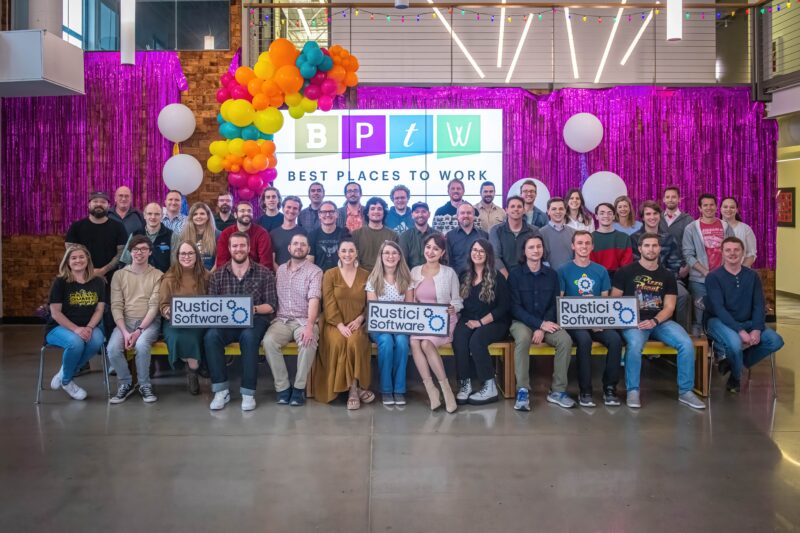
Rustici Software is a place remarkable people want to work
Everyone who works at Rustici Software cares more about living up to the expectations of their co-workers than just about anything else. That drive leads us to provide exceptional service to our customers, technically precise software and a delightful office environment. We place equal emphasis on Pedantry, Practicality and Empathy. Our office is just outside Nashville, TN in Franklin.
Learn about our companyFeatured blog

Joe's best practices for limiting lost completions
We’re often asked why a SCORM course didn’t record a learner’s completion. This is understandably quite stressful and frustrating for a learner who spent time taking and passing a course and then finding out that their hard work just vanishes. Here are Joe Donnelly’s top five tips for limiting lost completions in your SCORM courses.
Featured resource

Andy's top Content Controller features
Every year, Andy Whitaker enjoys reading all the industry “top 10” lists and sharing about all our customers who make it into them. So we had Andy create his own Content Controller “Best Of” webinar. Did seamless content management, effortless course versioning or magic easily supporting different standards make the cut?
Trusted by
This is but a small selection of all our customers. For the full list check out our customers page.
















Have questions? Ask us anything.
When we say “ask us anything,” we really mean it. We talk to hundreds of people every month, many of whom aren’t sales prospects. We’re happy to help, so ask us anything.